

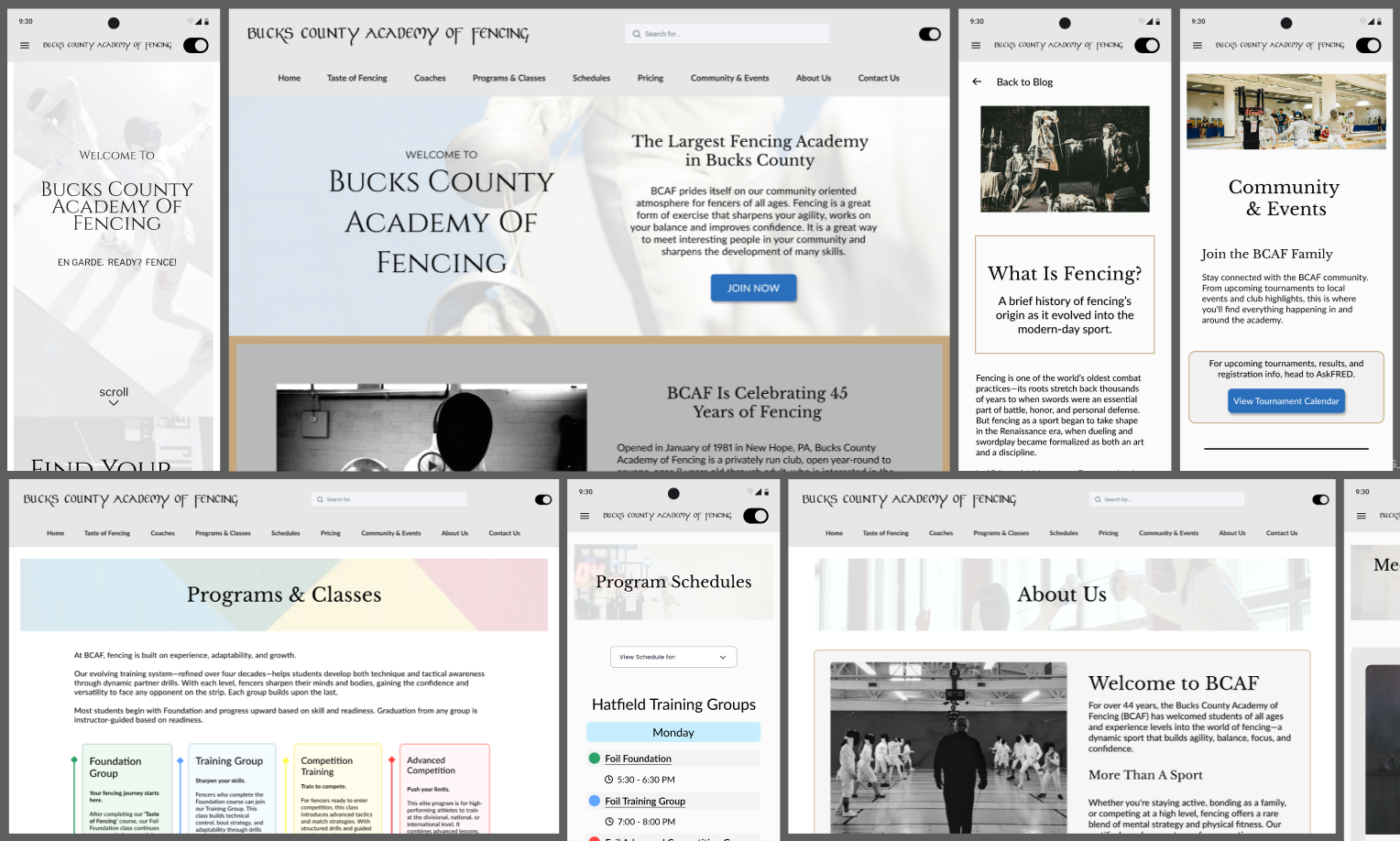
To address schedule confusion, I redesigned the class schedule with clearer visual hierarchy and grouping. Information such as class level, location, and time was structured to be scannable at a glance, with mobile layouts prioritized to reduce horizontal scrolling and cognitive load.
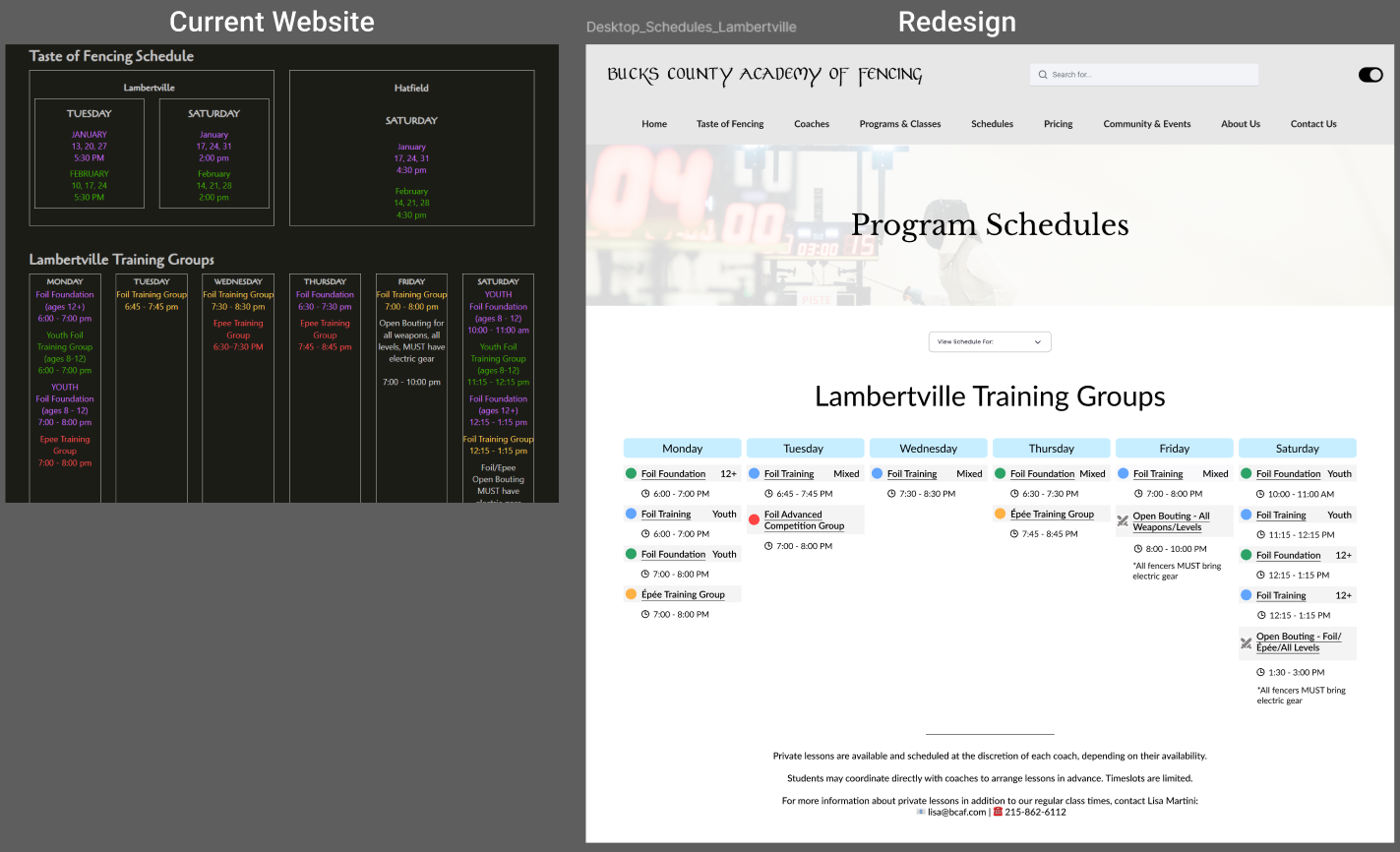
The navigation was restructured to reduce fragmentation and surface high-priority information more quickly. Underused pages were consolidated, and key sections—such as Programs, Schedules, Pricing, and Coaches—were elevated to create a clearer, more intuitive navigation flow for both new and returning users.
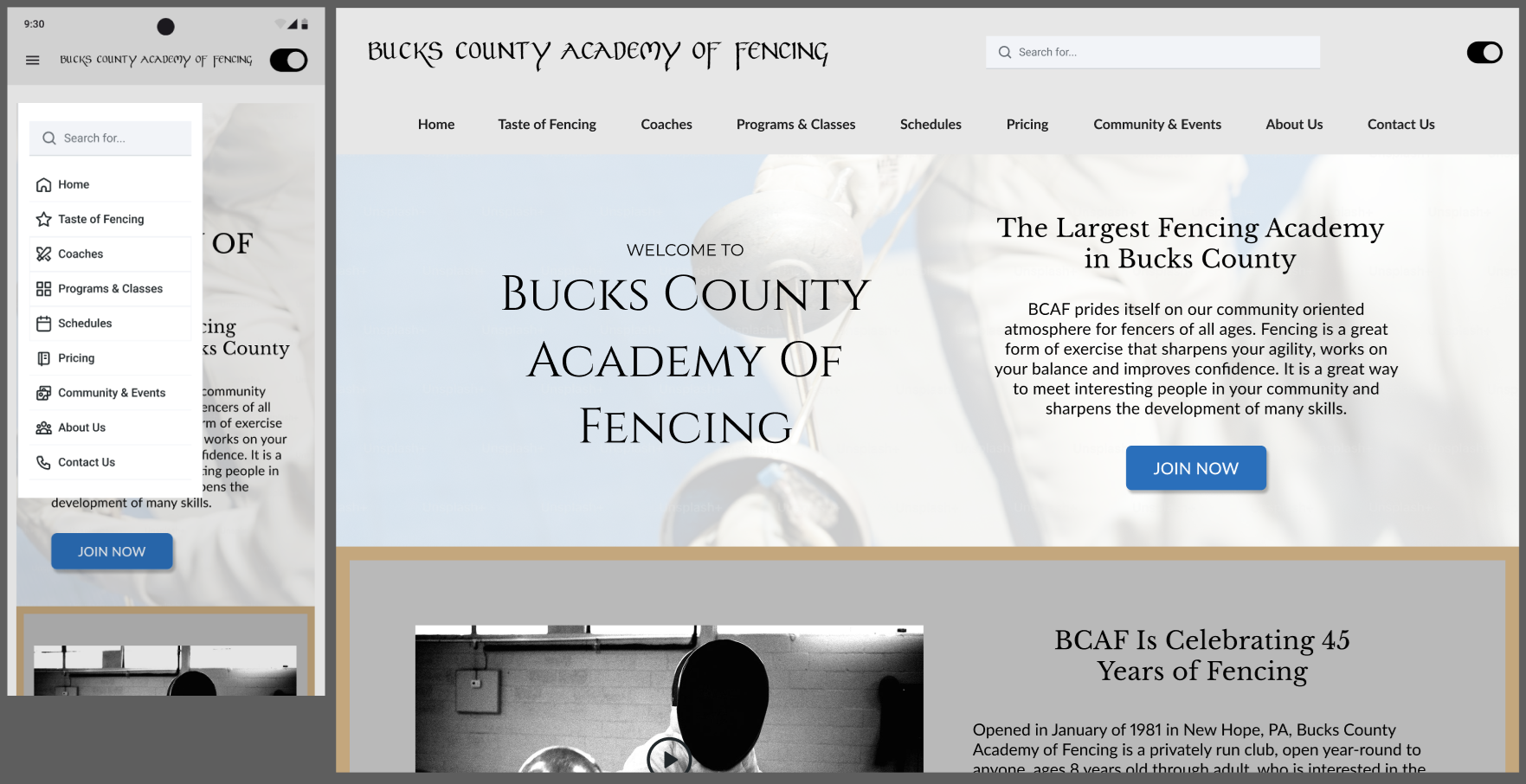
Program offerings were reorganized to better communicate progression and entry points for new users. Introductory programs were made more visible, and consistent visual grouping was used to help users quickly understand which classes were appropriate for their experience level.
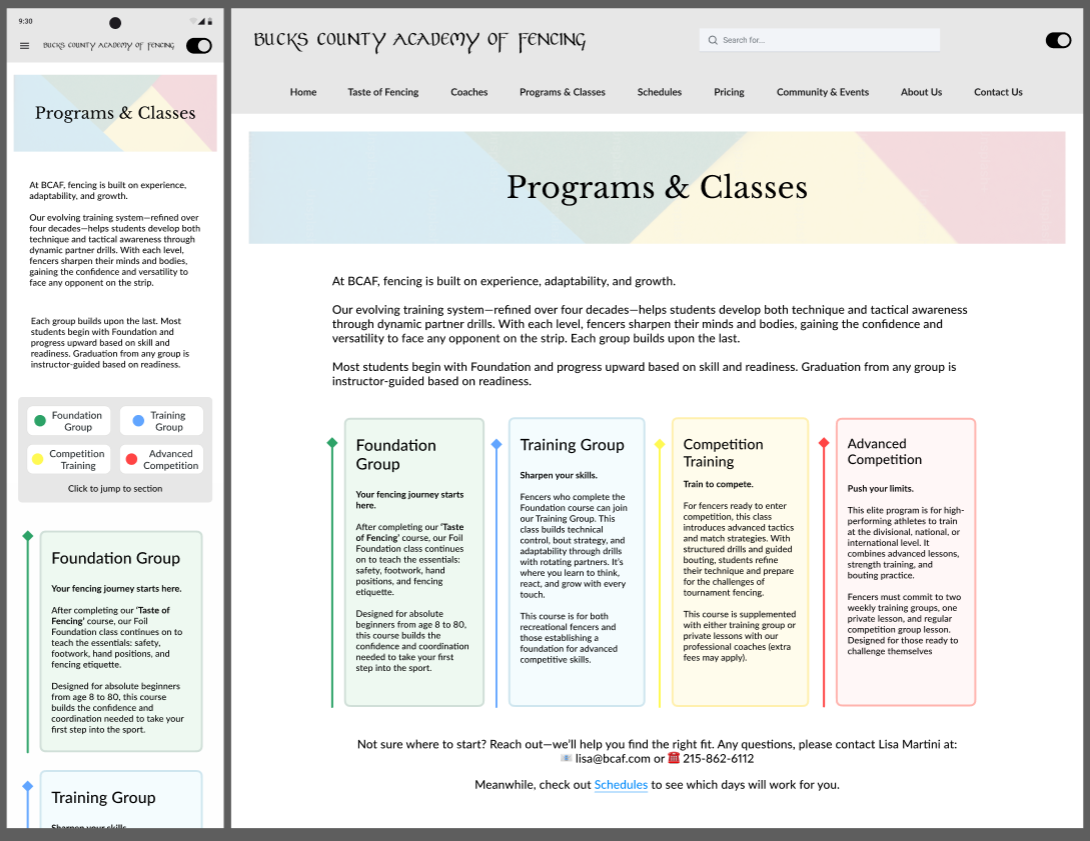
Across the site, text-heavy layouts were replaced with clearer hierarchy, spacing, and visual grouping to improve readability and reduce cognitive load. (P3)
There designed structure improved clarity and usability across the site, particularly for new users. Key improvements included:
This project reinforced the importance of information architecture and content hierarchy when designing for real users with limited time and attention. Working within an existing visual refresh challenged me to focus on usability improvements that went beyond aesthetics.
Given more time, I would explore validating these design decisions through usability testing and further refining mobile interactions. Overall, this project strengthened my ability to translate complex, text-heavy content into clear, approachable experiences.
